
Web
A Web tab opens a port forward: a byte stream from the WoHo server, down the agent’s tunnel, to 127.0.0.1:<port> on the machine. The server speaks HTTP over it, so the application loads as a live page — every method, request bodies, SSE and WebSocket upgrades included. Nothing on the machine has to listen on a public interface.
Opening a forward
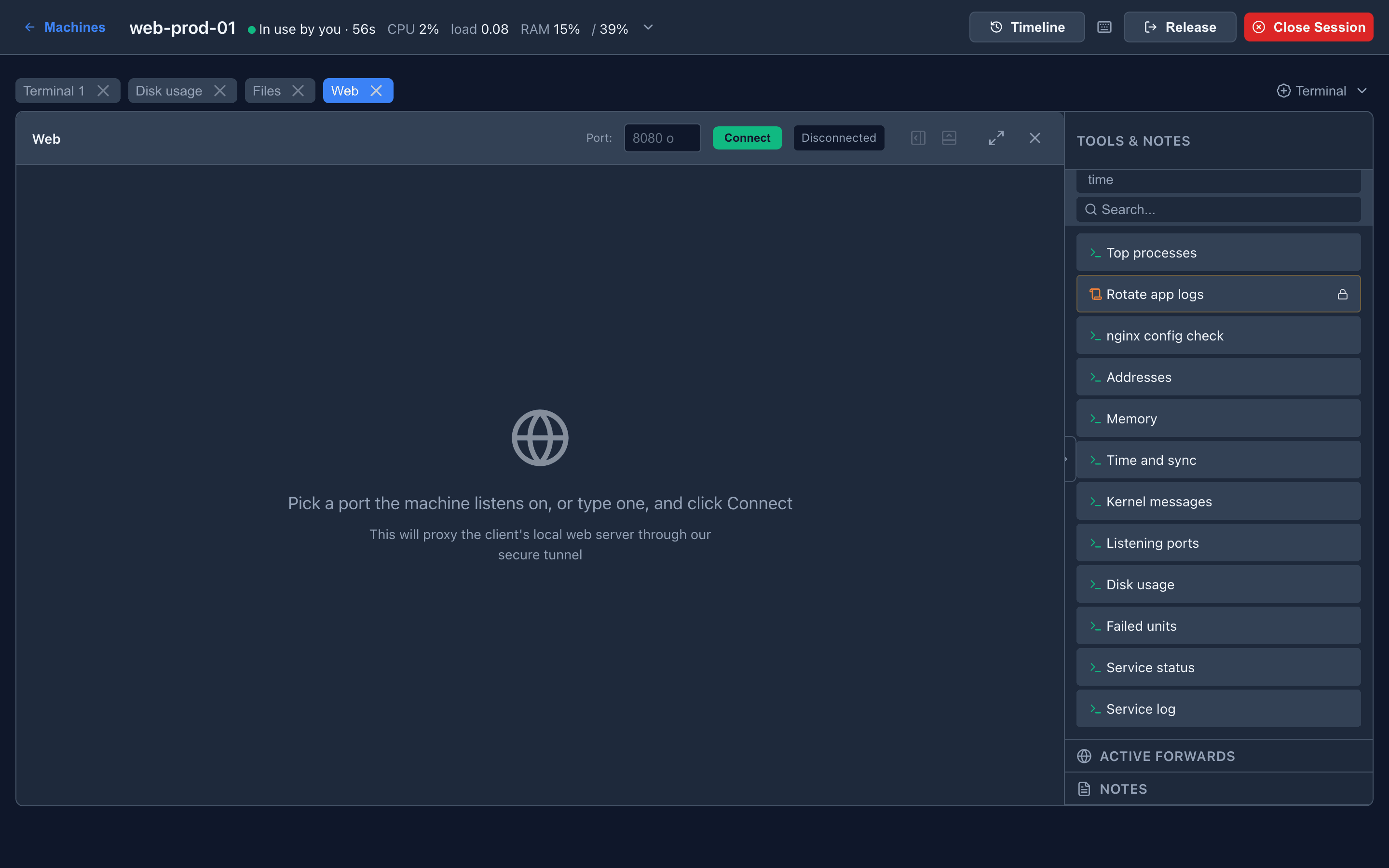
Section titled “Opening a forward”- Open the ▾ beside + Terminal → Web, or press
Alt+W. - Pick a port. The field lists the ports the machine is listening on and the program behind each (
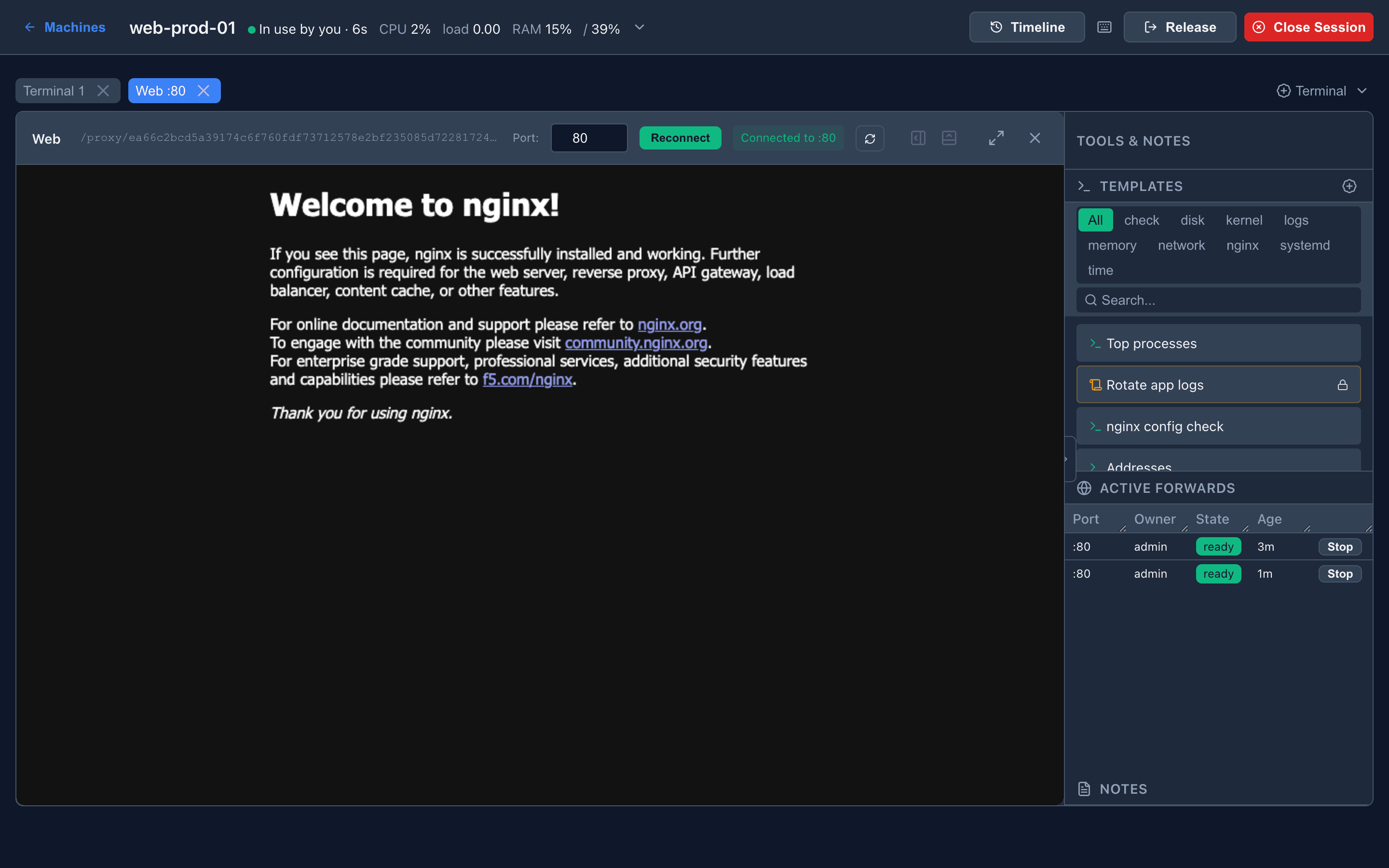
80 — nginx), or type one. For an application under a subpath, type the path too:9270/web/. The port last used on this machine is remembered. - Click Connect. The tab shows starting until the agent has the stream open, then loads the page and is named Web :80.
If the service cannot be reached, the tab shows the agent’s own message — connection refused on port 3000 — with Retry.
The port list needs the current agent; an older one keeps the plain port field.
Active forwards
Section titled “Active forwards”The sidebar’s Active forwards lists every live forward on the machine: port, owner, state and age.
| Who can open it | Only the admin who started it. The forward’s full ID is a credential and is returned only to its owner |
| Who can stop it | Any admin, with Stop. Others see an 8-character prefix, enough to stop a forward and not enough to use it |
| When it closes | On Stop, when its tab is closed, when the agent disconnects, or after 4 hours without traffic (proxy_idle_timeout) |
Closing the tab stops its forward. If that fails, the panel says so: a forward left open is still reachable on the machine.
Isolation modes
Section titled “Isolation modes”The customer’s application must never share an origin with the panel — script on its page could otherwise call the panel’s API with your session. Which mode you get depends on whether the server has proxy_domain configured.
Wildcard domain — recommended
Section titled “Wildcard domain — recommended”https://<forward-id>.proxy.example.com/Each forward gets its own hostname, isolated from the panel and from every other forward. Applications keep their own cookies and storage and behave as they do locally.
Access is by a one-time link the server returns only to the forward’s owner. Opening it exchanges the link for a cookie scoped to that hostname. The link is single-use and expires in two minutes; the cookie dies with the forward. Requires wildcard DNS and a wildcard certificate — see Web Proxy Domain.
Same-origin fallback
Section titled “Same-origin fallback”https://panel.example.com/proxy/<forward-id>/Without a proxy domain, forwards are served from the panel origin behind the panel session and a Content-Security-Policy: sandbox. The document gets an opaque origin: it cannot touch the panel, and cannot touch its own cookies, localStorage or sessionStorage either.
To make ordinary applications work anyway, the server rewrites HTML, CSS and runtime URLs, keeps the application’s cookies in a per-forward jar, answers CORS preflights, and strips the panel’s session cookie before anything reaches the machine. Authenticated requests, module scripts and POST bodies work; service workers do not. This is best-effort: an application doing unusual things with URLs or storage can misbehave here and work perfectly under a wildcard domain.
Limits
Section titled “Limits”- The server speaks plain HTTP to
127.0.0.1:<port>. A service that only serves HTTPS is not supported. - The service must accept connections on
127.0.0.1. Bound to0.0.0.0is fine; bound to one non-loopback address is not. - One forward, one port. An application that redirects to another port on the machine needs a second forward.
Troubleshooting
Section titled “Troubleshooting”| Symptom | Check |
|---|---|
| connection refused | Nothing listens on that port. From a terminal: curl -sI http://127.0.0.1:<port> |
| Stays on starting | The agent is offline or reconnecting — see the machine’s state |
| Page renders but assets 404 | Fallback mode and an unusual URL scheme. Try an initial path (8080/app/), or configure a proxy domain |
| Page blank, or a service-worker / storage error | Fallback mode’s opaque origin. A proxy domain gives full browser-origin behaviour |
| A colleague’s link does not work | Forward links are per-admin and single-use. Open your own forward |
| A forward disappeared | Four hours idle, or the agent reconnected. Open it again |