
Account & Security
Your name in the header → Account & security.
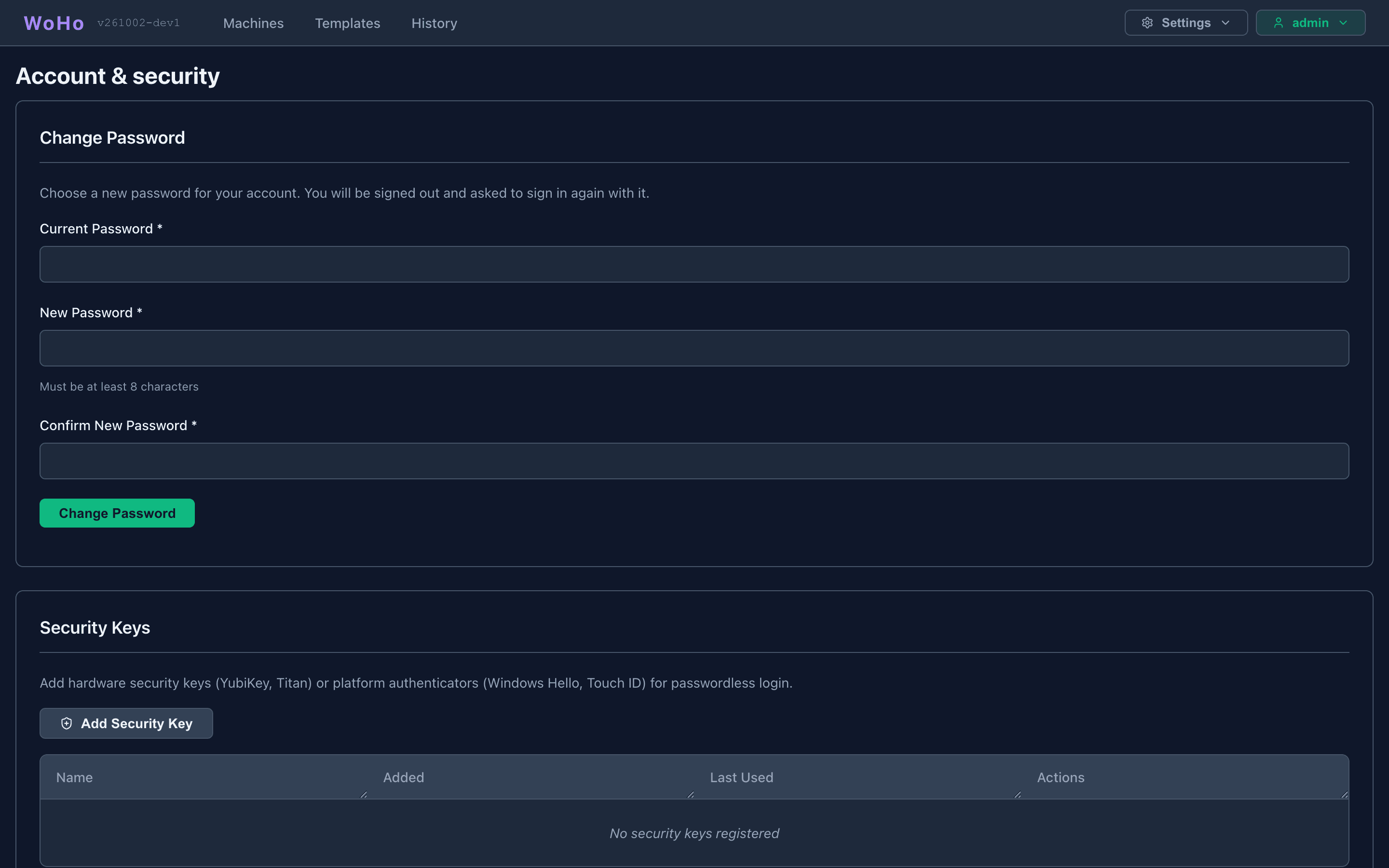
Change Password
Section titled “Change Password”Current password, then the new one twice: 8–128 characters, different from the current one. Changing it ends every session of your account, this one included; sign in again with the new password. A wrong current password is reported on the form.
Forced change
Section titled “Forced change”A new install’s admin account must change its password first. Until it does, the page shows only this form, every other page comes back here, and every other request is refused. See First Login.
Security Keys
Section titled “Security Keys”Passwordless, phishing-resistant login with WebAuthn / FIDO2: hardware keys (YubiKey, Titan, SoloKeys), platform authenticators (Windows Hello, Touch ID, Face ID), or a passkey manager (1Password, Bitwarden, Apple or Google passkeys).
Add Security Key → a name → Register → the browser’s prompt. The server stores only the public key; biometrics never leave your device. The table lists each key’s name, when it was added and last used, with a delete button.
Requirements
Section titled “Requirements”Passkeys need HTTPS and the server’s rp_id set to the panel’s hostname and rp_origin to its full origin — see WebAuthn. Keys registered under one rp_id stop working if it changes.