
Connection Keys
Settings → Connection keys. A fresh install requires every agent to present a key. Keys are generated here and reach the machine inside the install command.
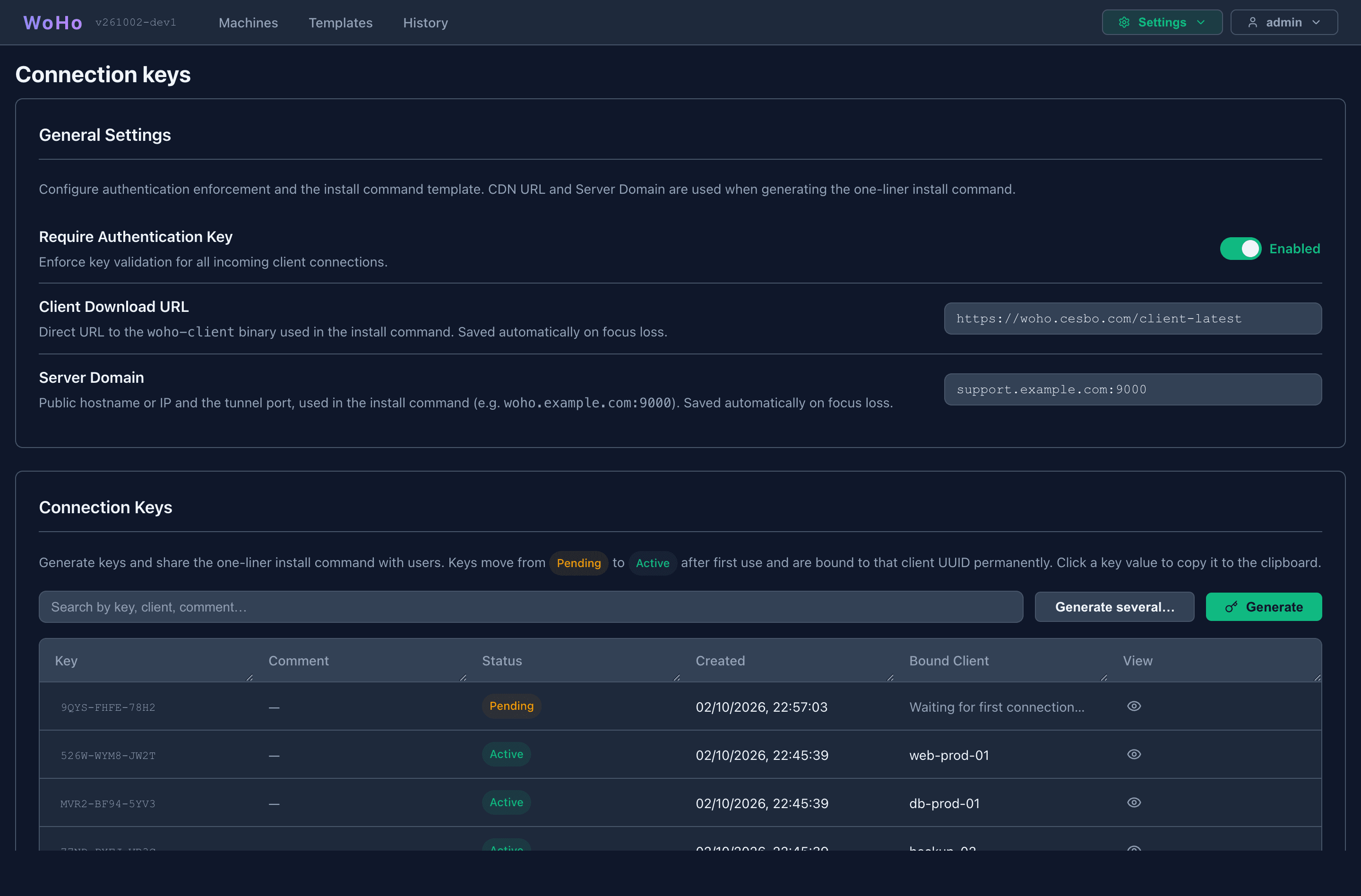
General Settings
Section titled “General Settings”| Setting | Meaning |
|---|---|
| Require Authentication Key | On: an agent without a valid key is refused with AUTH_REQUIRED. Off: agents may connect without one; a key they do send is still checked. Takes effect at once |
| Client Download URL | Where the install command downloads woho-client from, and where Update agent fetches the new binary — its .sha256 must be published beside it. Empty on a new install: set it before generating keys |
| Server Domain | The host and tunnel port agents connect to, woho.example.com:9000. The install command’s -server |
Both fields save when you leave them. Generate and Copy Install Command are unavailable until both are set.
Generating keys
Section titled “Generating keys”Generate makes one key and opens its install command, ready to copy. Generate several… asks for a quantity (1–100) and a label.
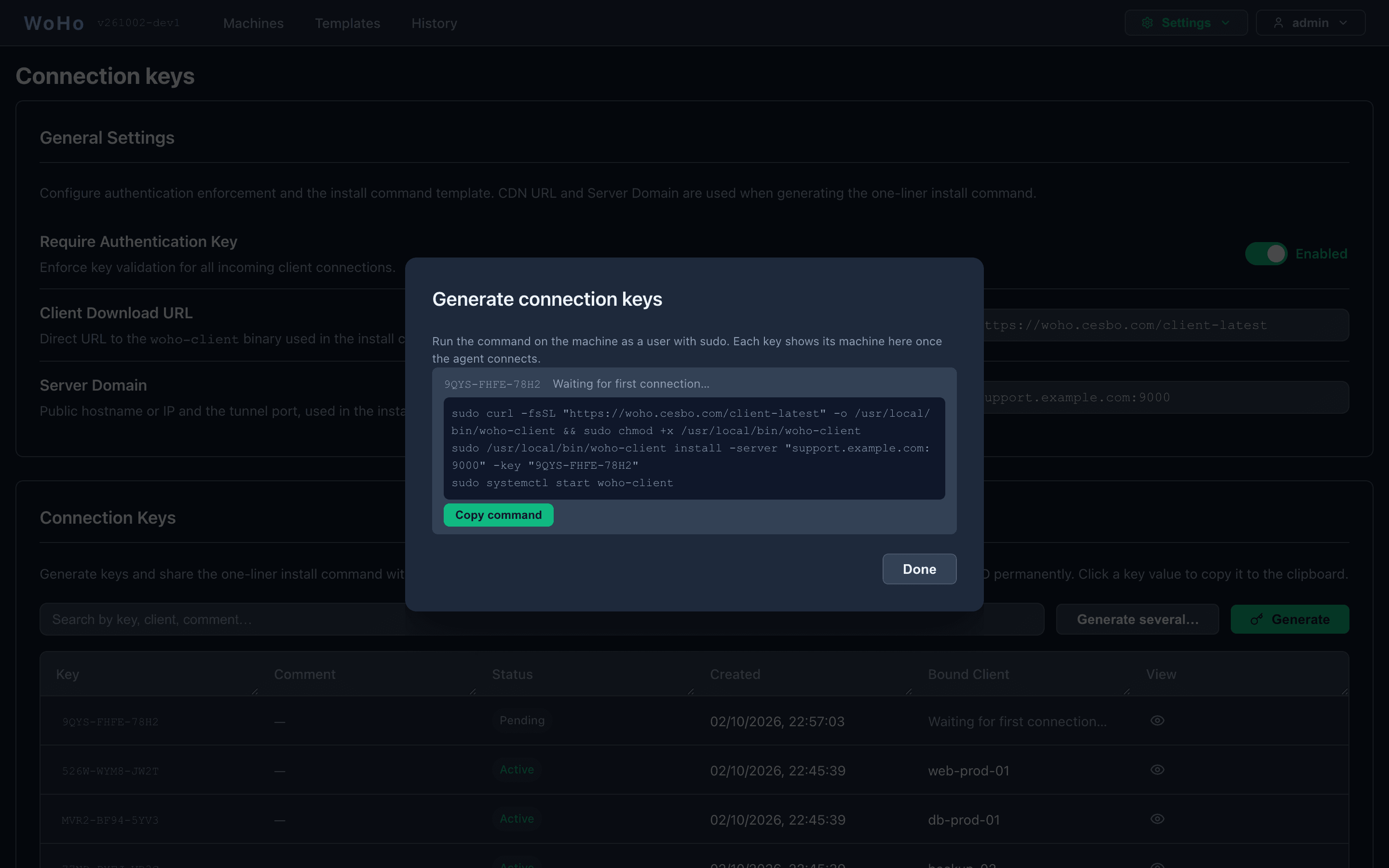
sudo curl -fsSL "https://woho.cesbo.com/client-latest" -o /usr/local/bin/woho-client && sudo chmod +x /usr/local/bin/woho-clientsudo /usr/local/bin/woho-client install -server "woho.example.com:9000" -key "XXXX-XXXX-XXXX"sudo systemctl start woho-clientGive the command to whoever has root on the machine; they need no access to the panel. The dialog, and the key’s row, show the machine’s name as soon as it connects.
Keys are XXXX-XXXX-XXXX from an alphabet without 0, O, 1, I, L.
Key lifecycle
Section titled “Key lifecycle”| Status | Who can connect |
|---|---|
| Pending | The first machine to use it. The key is then bound to that machine’s client ID |
| Active | Only the bound machine. Reconnects freely; any other machine is refused |
| Revoked | Nobody. The record stays for auditing |
The key is stored on the machine in /etc/woho/woho-client.yaml (root-only). It never appears in the service command line.
A key’s dialog
Section titled “A key’s dialog”Click the eye on a row.
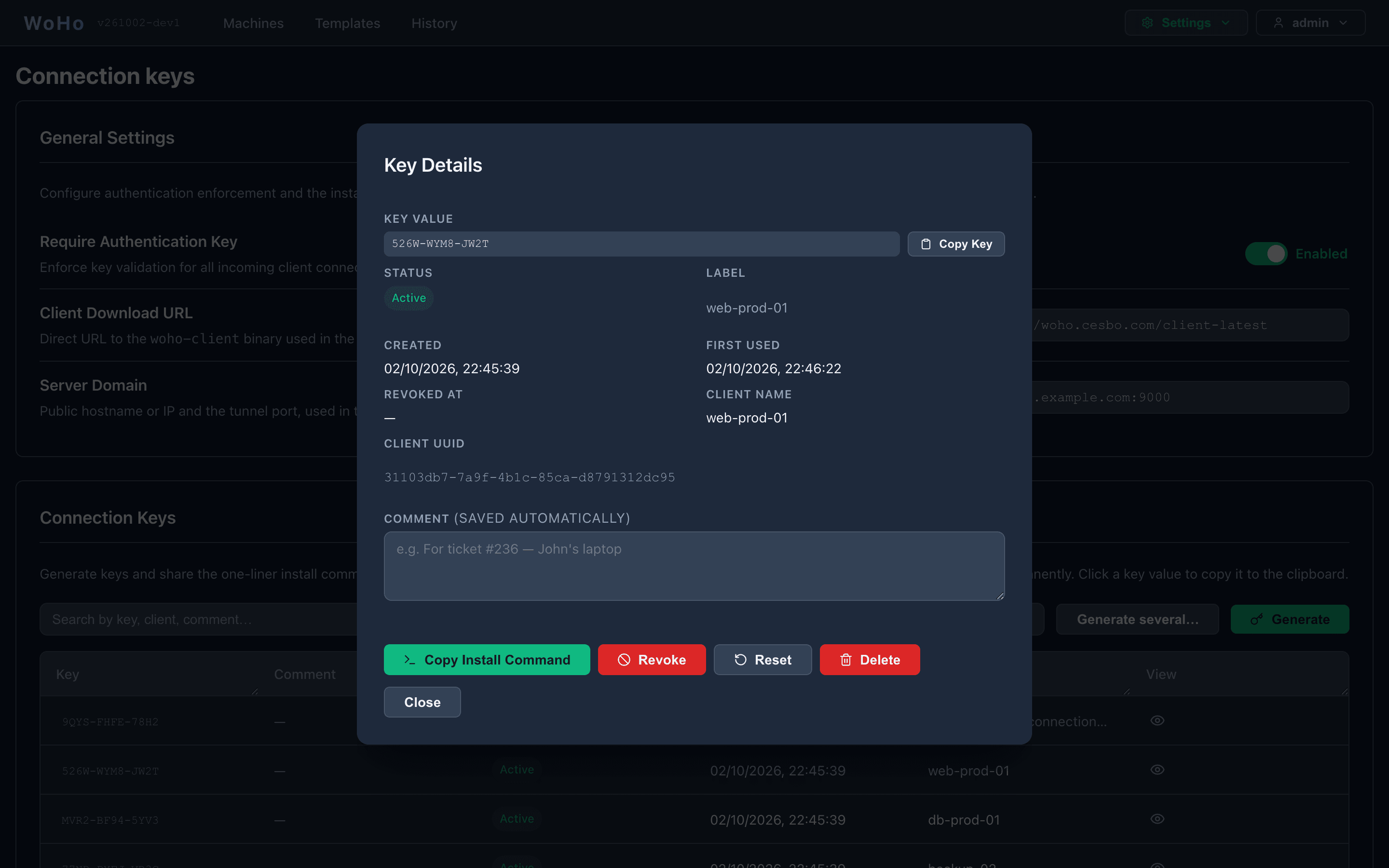
| Action | Does |
|---|---|
| Copy Key, Copy Install Command | To the clipboard |
| Revoke | The machine is disconnected at once, and refused at every reconnect. An installed agent is restarted by systemd every 10 s and refused again — that repeating refusal in its journal is the revoked state, not a fault |
| Reset | Back to Pending with the binding cleared. For a reinstalled machine (new client ID) or to move a key to another machine |
| Delete | Removes the record. Cannot be undone |
| Comment | Free text, saved as you type. Searchable |
Actions above the table applies Revoke, Reset or Delete to the selected rows.
Connection scenarios
Section titled “Connection scenarios”With the requirement on:
| Agent | Key | Result |
|---|---|---|
| No key | — | Refused: AUTH_REQUIRED. A service stops with a message naming the fix; an agent run by hand prompts for a key |
| Unknown or revoked key | Refused: AUTH_FAILED: Invalid or revoked key | |
| Key | Pending | Accepted; the key becomes Active, bound to this machine |
| Same machine again | Active | Accepted |
| Another machine | Active | Refused: AUTH_FAILED: Key already bound to a different client |
| Reinstalled machine (new client ID) | Active | Refused the same way — Reset the key |
| Two machines use one pending key at once | Pending | The first wins; the second gets AUTH_FAILED: Key already in use |
Every refusal is recorded with the machine’s address on its timeline and in History.
Troubleshooting
Section titled “Troubleshooting”| Symptom | Fix |
|---|---|
AUTH_REQUIRED in the agent’s journal | Generate a key and rerun woho-client install -key … |
AUTH_FAILED: already bound to a different client | The machine was reinstalled: Reset the key, or generate a new one |
| The agent restarts every 10 s and is refused | The key was revoked. Generate a new one or Reset this one |
| Generate is greyed out | Set Client Download URL and Server Domain (host:port) |
| A key stays Pending after the machine connected | The agent is too old to send keys. Update it |