
Tools & Notes Sidebar
Это содержимое пока не доступно на вашем языке.
Templates
Section titled “Templates”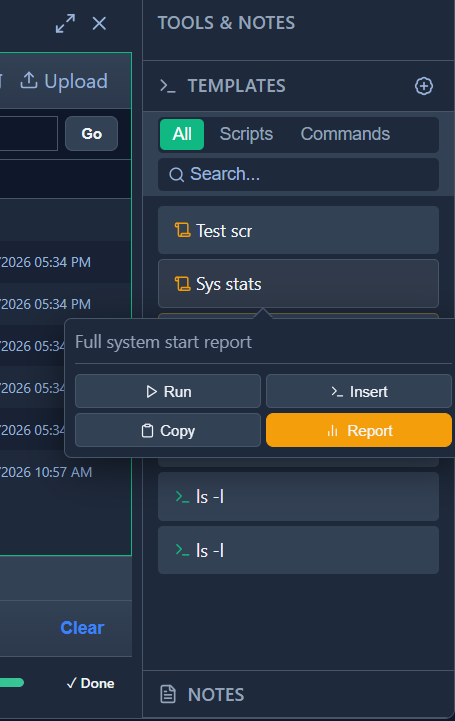
Filter by type (All / Scripts / Commands) or search. Expand a template for actions:
| Action | What it does |
|---|---|
| ▶ Run | Executes the command or script immediately in the active SSH tab |
| >_ Insert | Pastes the content into the terminal input line without executing — lets you review or edit it first |
| Copy | Copies the raw content to the clipboard |
| Report | Runs the script and saves its full output as a new Client Note on this session |
Scripts: orange icon. Commands: green >_ icon. Lock icon = another user’s template (read-only).
Press Alt+N to open the Templates picker overlay.
Chronological log of freeform text notes left by any admin. Click + Add Note to add. Notes are persistent and shared across all admin accounts.